AP Product Lab · iPhone + Windows

AP Racing Wheel

Your iPhone as a racing wheel for PC games.

Hold the phone sideways and tilt it to steer, slide Gas and Brake, and play any PC game that supports a gamepad. A small free app on the PC turns the phone into an Xbox controller over your Wi-Fi.

Download for Windows

Version 1.0.0 · 3.8 MB · Windows 10 and 11, 64-bit

Coming soonto the App Store

Free. No ads, no accounts, no tracking.

SHA-256 of APRacingWheelSetup-1.0.0.exe5a5945ba875875d629c63cd61c9e4aea75236baaa9fe46fea73cb577ad5621be

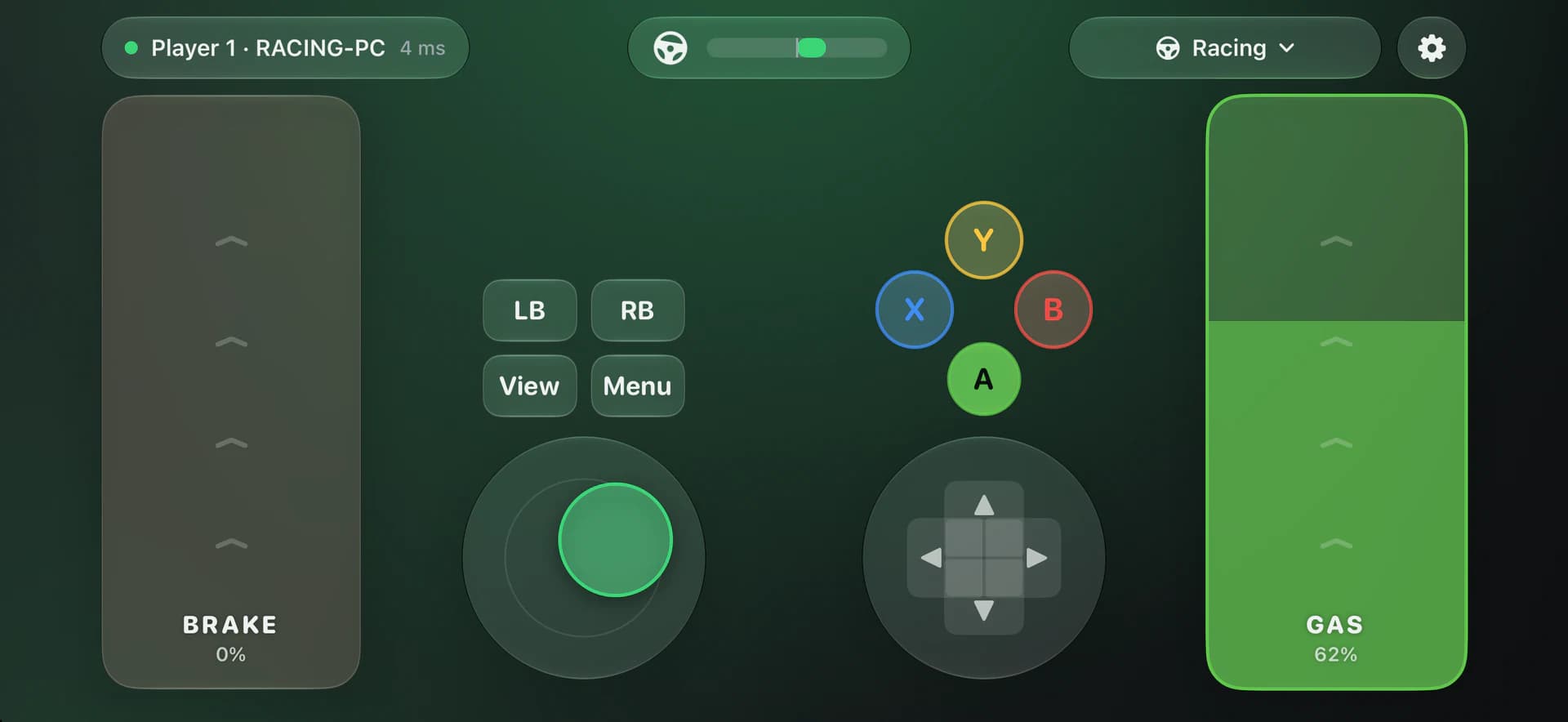
AP Racing Wheel on iPhone in the Racing profile: a Brake slider at the left edge, a Gas slider at the right edge pressed to 62 percent, and LB, RB, View, Menu, a stick, A B X Y and a D-pad between them, connected to RACING-PC.
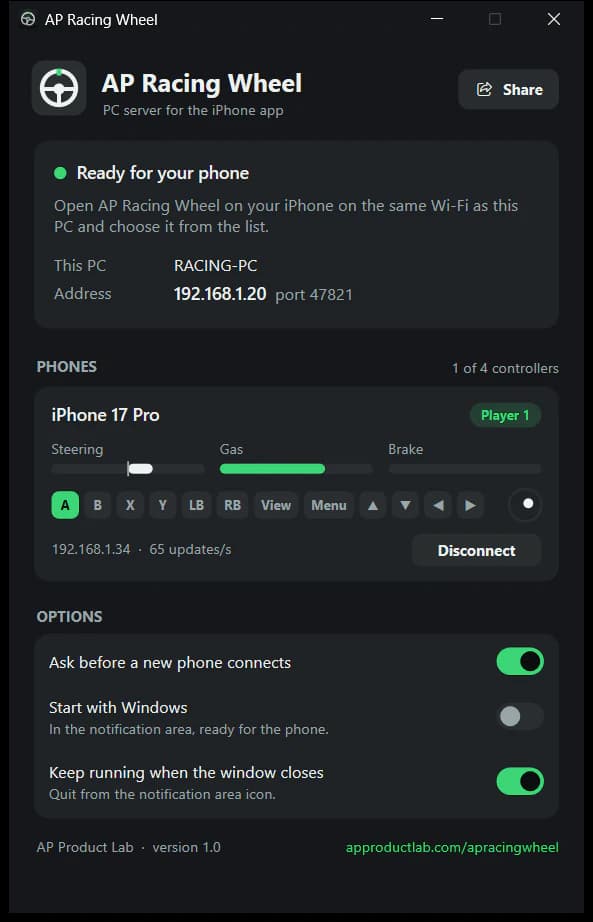
The AP Racing Wheel window on Windows with an iPhone 17 Pro connected as player 1, live bars for Steering, Gas and Brake, the pressed buttons, its address and 65 updates per second.

Download · install · connect

Three steps to the starting grid.

You need an iPhone with iOS 17 or later, a 64-bit Windows 10 or 11 PC, and the same Wi-Fi network for both.

  1. Download

    • On the PC: download APRacingWheelSetup-1.0.0.exe from this page (3.8 MB).
    • On the iPhone: get AP Racing Wheel from the App Store (coming soon), or scan the QR code that the PC app shows with the iPhone's camera.
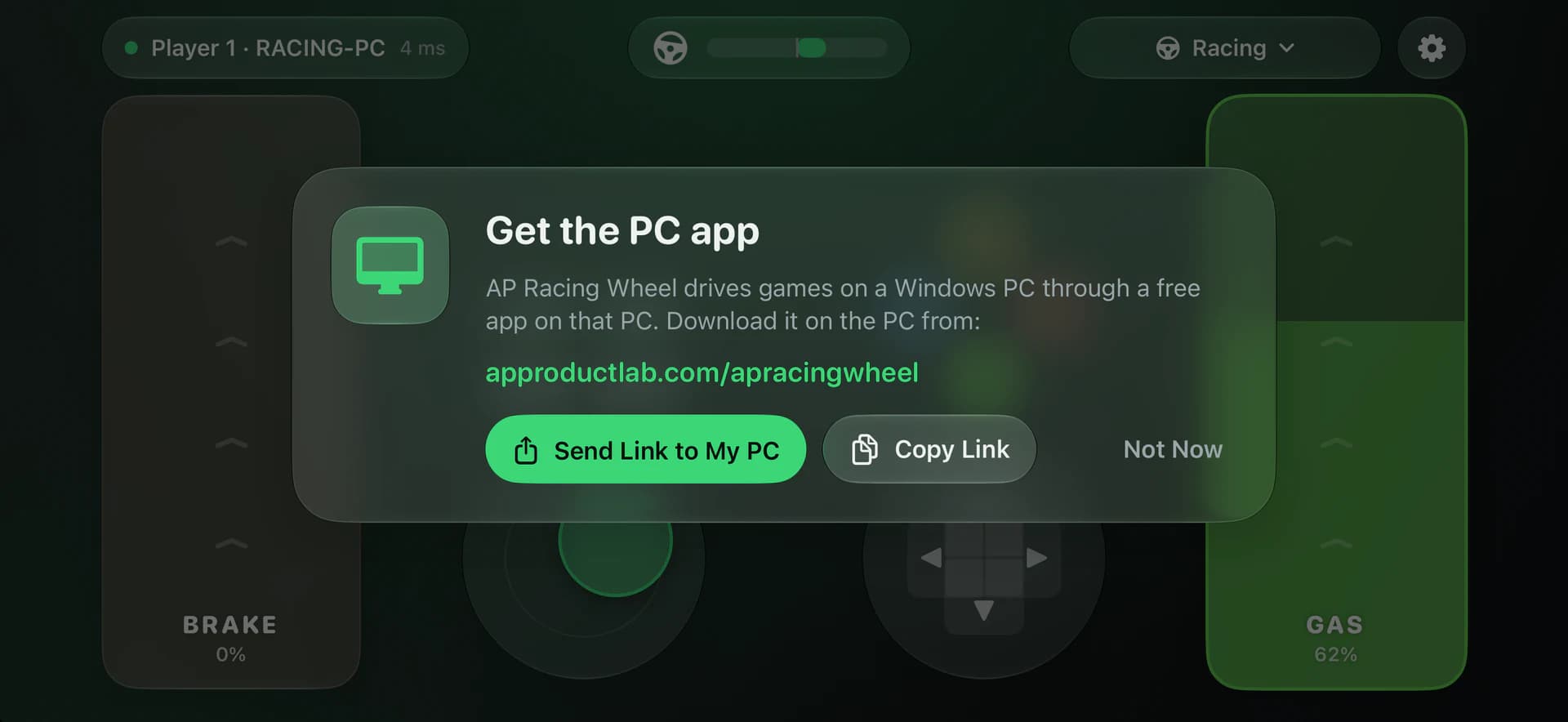
    A Get the PC app popup on the iPhone with the address approductlab.com/apracingwheel and the buttons Send Link to My PC, Copy Link and Not Now.

    The iPhone app points you to the free Windows app and can send the link to your PC.
  2. Install on the PC

    1. Run APRacingWheelSetup-1.0.0.exe. If Windows SmartScreen says “Windows protected your PC”, click More info, then Run anyway.
    2. Allow the installer to make changes. It installs the ViGEmBus controller driver (only if the PC does not have it yet) and lets phones through the Windows Firewall.
    3. Click Install, then Finish. AP Racing Wheel opens and shows Ready for your phone.
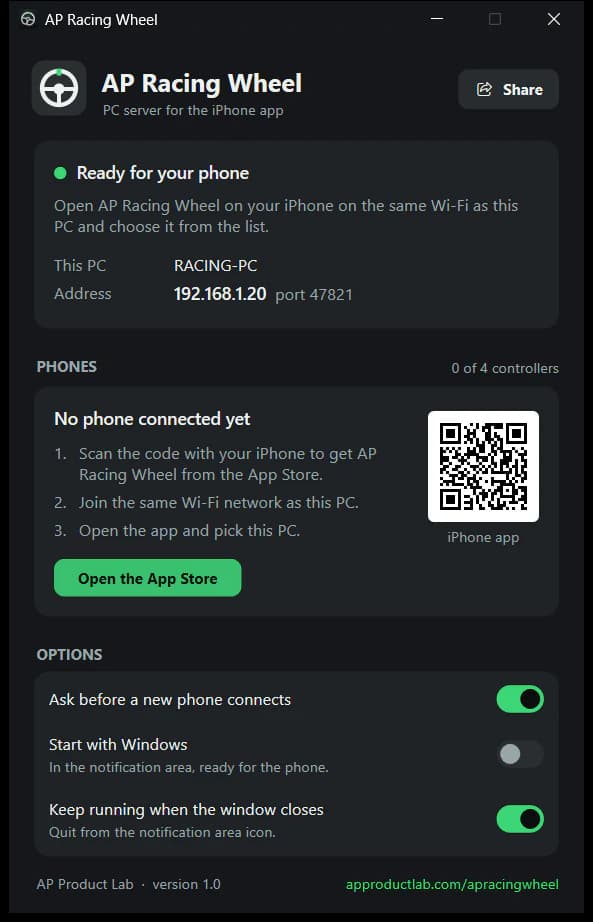
    The AP Racing Wheel window on Windows: Ready for your phone with the PC name RACING-PC and the address 192.168.1.20, no phone connected yet, three steps beside a QR code for the iPhone app, and the options below.

    The Windows app shows the PC's address and a QR code for the iPhone app.

  3. Connect

    1. Open AP Racing Wheel on the iPhone. When iOS asks to find devices on your local network, tap Allow.
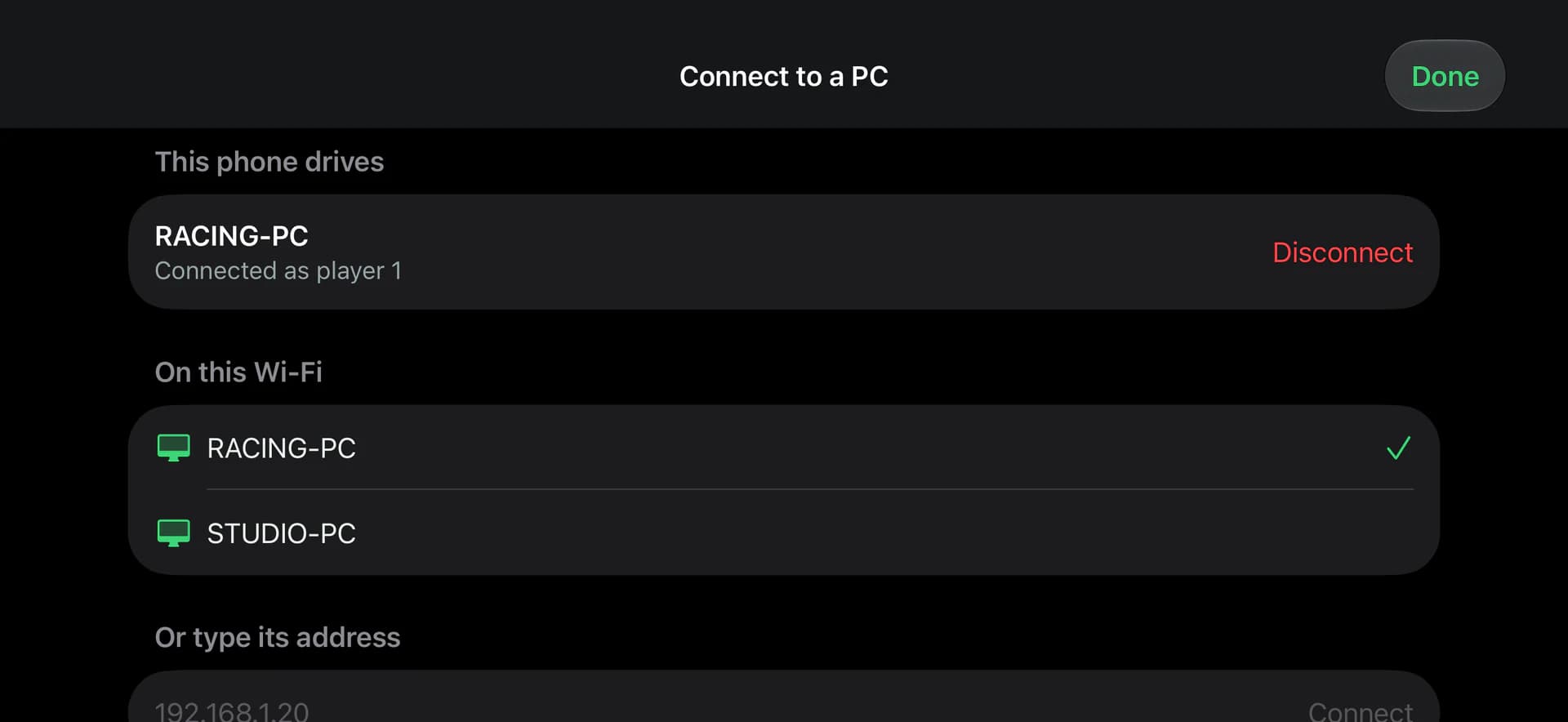
    2. Tap your PC in the list. If it is not there, type the address the PC app shows (for example 192.168.1.20).
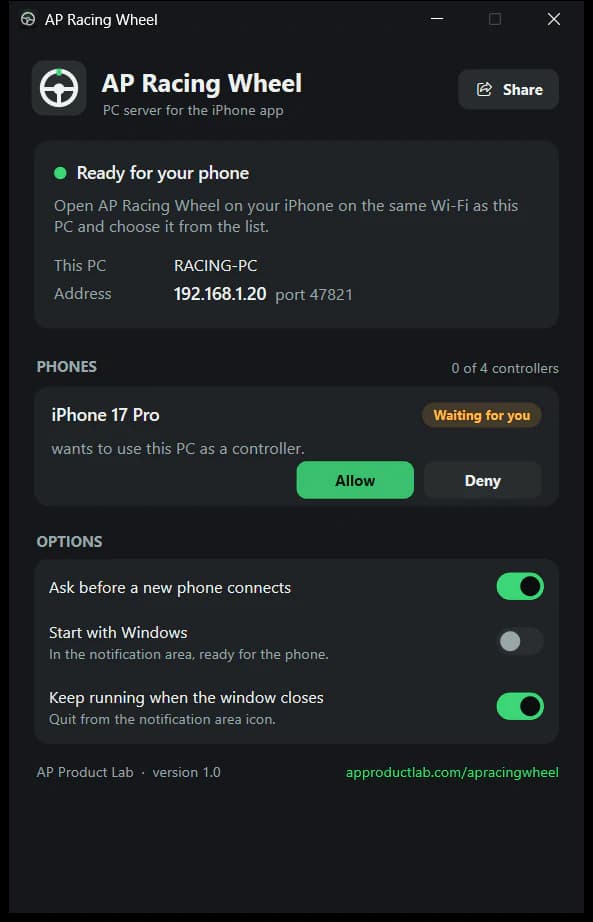
    3. On the PC, click Allow for the phone (only the first time).
    4. Hold the iPhone sideways like a wheel: tilt it to steer, slide Gas on the right and Brake on the left. In the game, choose an Xbox controller or gamepad.

    Up to four iPhones can drive one PC, each as its own controller.

    The iPhone app's Connect to a PC screen: connected to RACING-PC as player 1, the PCs found on this Wi-Fi, and a field to type a PC's address such as 192.168.1.20.
    The AP Racing Wheel window on Windows with an iPhone 17 Pro waiting for approval and the buttons Allow and Deny.

What it does

A wheel, two pedals and a whole gamepad.

Two built-in profiles cover racing games and everything else, and the layout editor lets you build your own.

Tilt to steer

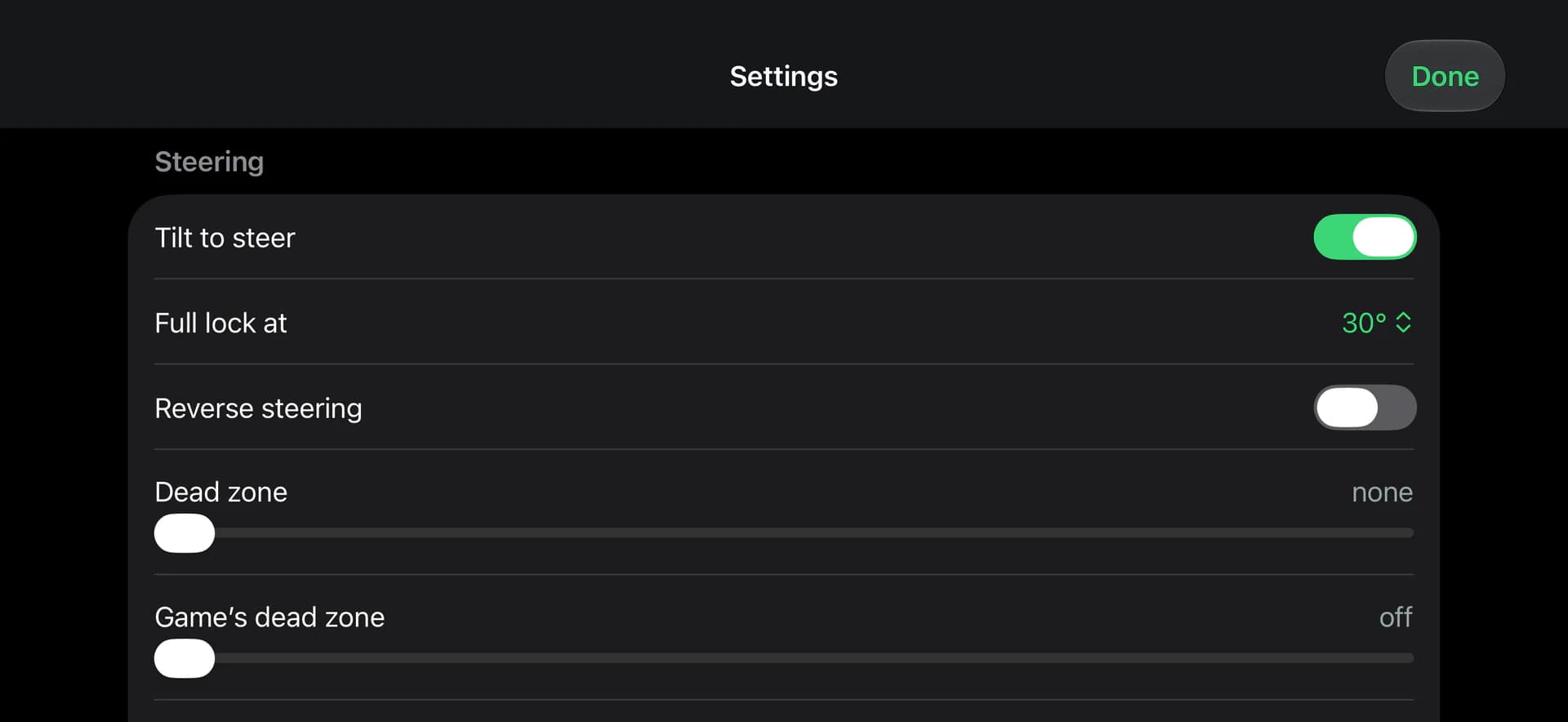
Hold the phone sideways like a wheel and turn it. Set the full lock, reverse the steering, and cancel out the game's own dead zone.

Analog Gas and Brake

Slide Gas on the right edge and Brake on the left: the further you slide, the harder you press. On/off pedals are a setting away.

A whole Xbox controller

A B X Y, LB RB, View, Menu, the D-pad and two sticks, so menus and every other kind of game work too.

Profiles and an editor

Racing and Gamepad profiles built in. Move, resize and rename any control and save layouts of your own, over a gradient or your photo.

Feel the game

Rumble from the game comes back to the iPhone's Taptic Engine.

Up to four players

Up to four iPhones on one PC, each its own controller. The PC app shows every phone's live controls and asks before a new one connects.

Requirements

What you need.

An iPhone

iOS 17 or later. AP Racing Wheel is an iPhone app; it is free on the App Store.

A Windows PC

Windows 10 or 11, 64-bit. The installer adds the ViGEmBus controller driver if the PC does not have it yet.

The same Wi-Fi

The iPhone and the PC on the same network. The PC may also be connected to that router by cable.

Support

If something does not work.

The PC is not in the list.

Check that both are on the same Wi-Fi (guest networks often keep devices apart) and type the PC's address instead. On the iPhone, check Settings > Privacy & Security > Local Network > AP Racing Wheel.

“Controller driver missing” on the PC.

Click Install driver in the PC app.

The first degrees of a turn do nothing.

The game has its own stick dead zone: in the iPhone app's Settings, raise Game's dead zone to about 20–25%.

Steering goes the wrong way.

In the iPhone app, turn on Settings > Reverse steering.

Windows says “Windows protected your PC”.

Windows SmartScreen shows this for installers that are not code-signed. Click More info, then Run anyway.

The iPhone app's Settings screen with Tilt to steer on, Full lock at 30 degrees, Reverse steering off, and sliders for Dead zone and Game's dead zone.

Game's dead zone and Reverse steering are in the iPhone app's Settings.

Still stuck?

Tell us what you see on the iPhone and on the PC, and which game you play. The message goes straight to the developer.

Write to us